How to reset the service reminder on Ford Escape / Kuga – step-by-step instructions
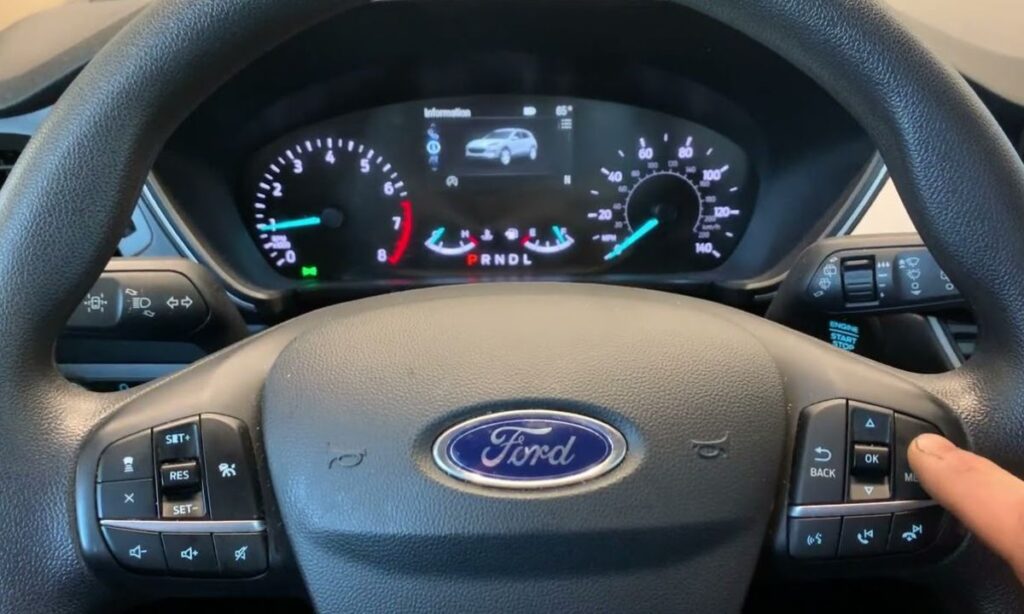
After an oil change or routine service on your Ford Escape (known as Kuga in many international markets), the dashboard often continues displaying the “Oil Change Required”, “Service Now”, “Maintenance Required” or low oil life percentage warning. This is the Intelligent Oil-Life Monitor system reminding you of scheduled maintenance. Resetting it is essential so the system accurately tracks the next interval based on your driving conditions, engine type (EcoBoost, hybrid, etc.), and real usage.
The good news? Most Ford Escape/Kuga models from 2013 onward allow a simple reset without any scan tools, using only the pedals, steering wheel controls, or information display. Procedures vary slightly by generation and model year—especially between pre-2020 analog/digital clusters and the modern SYNC 4 / digital instrument panels in 2020+ models.
Important Safety Notes Before Starting
- Perform the reset only after actually completing the oil change and filter replacement (or other service). Resetting without service can mask overdue maintenance and lead to engine wear.
- Park the vehicle in a safe, level area with the engine off.
- Have the owner’s manual handy for your exact year/trim if possible (download from fordservicecontent.com).
- If the light persists after reset or is accompanied by other warnings (check engine, wrench icon), scan for codes—there may be an underlying issue.
Method 1: Pedal reset (Most Common – Works on 2013–2025+ Escape/Kuga)
This brake + accelerator method is the factory-preferred way for the majority of third-gen (2013–2019) and fourth-gen (2020+) Escape/Kuga models, including hybrids and plug-ins.
- Turn the ignition ON (do not start the engine).
- For key models: Turn the key to the “ON” position (dash lights illuminate).
- For push-button start: Press the START button without pressing the brake pedal (or press START once to accessory mode).
- Fully press and hold both pedals at the same time:
- Push the accelerator (gas) pedal all the way to the floor.
- At the same time, press the brake pedal firmly to the floor.
- Keep both pedals fully depressed for 20–30 seconds.
- After about 3 seconds, the instrument cluster usually displays “Service: Oil reset in progress” or “Reset in progress”.
- Continue holding—after 20–25 seconds (sometimes up to 30), the message changes to “Service: Oil reset complete” or the oil life jumps to 100%.
- Release the pedals, turn the ignition OFF, then start the engine to verify.
- The service light or “Oil Life % – 100%” should now appear (or the reminder should be gone).
This method is confirmed in official Ford service content for many 2013–2025 models and matches real-world reports from Escape/Kuga owners worldwide.
Method 2: Steering wheel / Information display reset (Common on 2020–2026 Models with Digital Cluster)
Newer fourth-generation Escapes (2020+) and facelifted Kugas often use the steering wheel controls or touchscreen for a menu-based reset. This is especially true for models with the 12.3-inch digital instrument cluster or SYNC 4.
- Turn the ignition ON (do not start the engine).
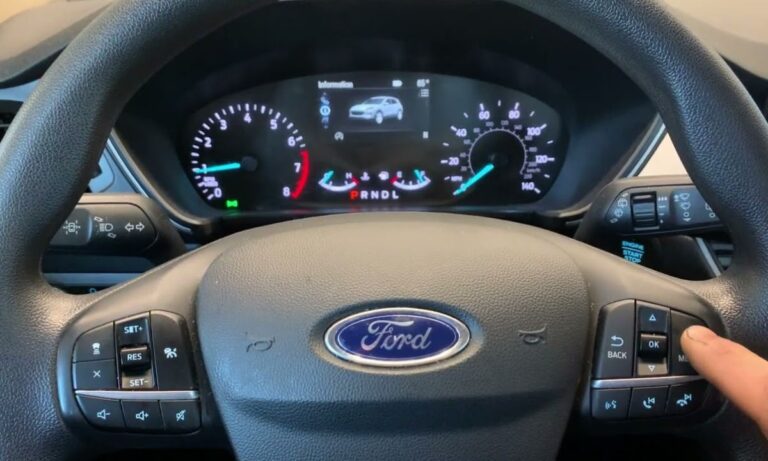
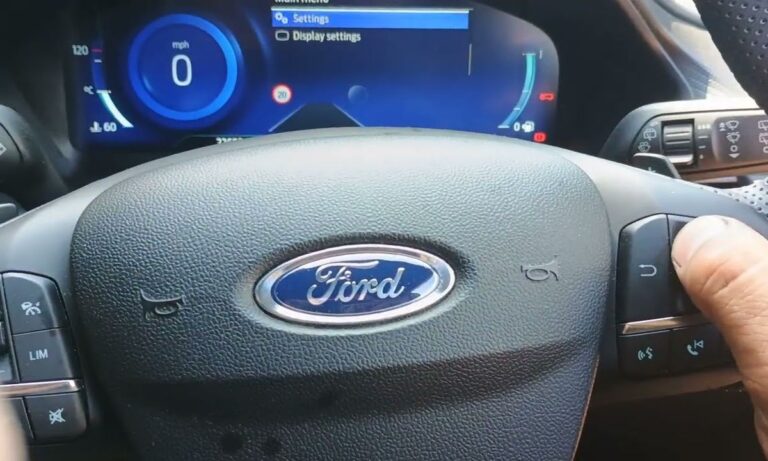
- Use the steering wheel arrows / OK button (right side of wheel):
- Scroll to the main menu or “Settings” / “Vehicle Info”.
- Navigate to “Oil Life”, “Maintenance”, “Oil Change” or “Service Interval”.
- Select the oil life screen and press/hold the “OK” or “Reset” button** for 3–5 seconds.
- A confirmation message appears (“Resetting oil life…” or similar).
- Hold until it shows “Reset Successful” or oil life resets to 100%.
- Cycle the ignition OFF then ON to confirm the reminder is cleared.
Some 2023–2026 hybrids or PHEVs may combine this with the pedal method if the menu option doesn’t appear.
Model-Year quick reference
- 2013–2019 Escape / Kuga (3rd gen): Primarily pedal method (hold brake + gas 20–30 sec).
- 2020–2026 Escape / Kuga (4th gen, including hybrids): Pedal method still works on most; newer digital clusters often use steering wheel menu + hold OK.
- If neither works: Check for a dedicated “Reset” in the settings menu under “Vehicle” > “Oil Life Reset”. In rare cases, a diagnostic scan tool (FORScan or dealer IDS) may be needed for stubborn modules.
Troubleshooting tips
- Light still on after reset? Double-check you completed the service. Try the procedure again—timing matters. Some models require holding exactly 25 seconds.
- “Service Now” or wrench light? This could indicate a scheduled service beyond oil (brakes, transmission fluid, etc.). Use an OBD-II scanner to read codes.
- Hybrid / PHEV specifics: Battery state or hybrid system faults can interfere—ensure the high-voltage battery is in normal mode.
- No message appears? Ensure all doors are closed, no brake lights are stuck on, and try with the parking brake off.
Resetting the service reminder takes under a minute and keeps your Escape/Kuga’s maintenance tracking accurate. Regular oil changes every 7,500–10,000 miles (or per the Intelligent Oil-Life Monitor) combined with this quick reset help maintain Ford’s legendary durability. If you’re unsure about your exact model year or the light behaves oddly, consult your local Ford dealer or download the specific owner’s manual. Safe driving!