How to reset the Oil Life / Service Reminder on Chevrolet Blazer – step-by-step instructions
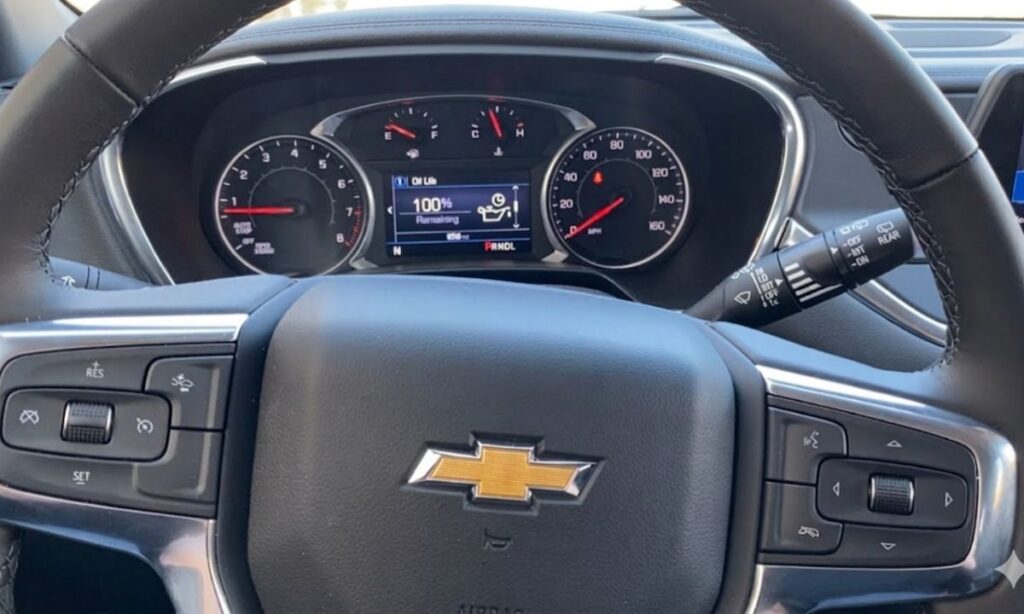
The Chevrolet Blazer uses the GM Oil Life Monitoring System to calculate when your next oil change is due based on driving conditions, engine temperature, and mileage. After performing an oil change (or any service that requires resetting the reminder), you need to reset the oil life percentage to 100% so the system accurately tracks the next interval. Failing to reset it can cause the “Change Engine Oil Soon” or “Oil Life Remaining XX%” message to linger annoyingly on the dash.
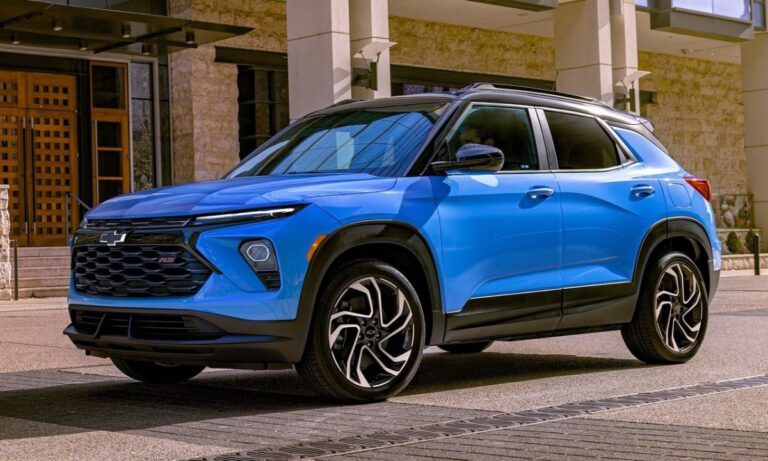
The reset procedure is straightforward and takes under a minute, but it varies slightly depending on the model year. The modern Blazer (2019–present) uses the same method across all years, while older generations (if you’re referring to the classic 1995–2005 Blazer) use a different pedal method. This guide focuses primarily on the current 2019+ Chevrolet Blazer lineup, as it’s the most common query today.
For 2019–Present Chevrolet Blazer (2nd Generation, including 2025 models)
This applies to all trims: LS, LT, RS, Premier, and the 3.6L V6 or 2.0L/2.5L turbo engines.
Method 1: Using the Steering Wheel Controls (Most Common and Recommended)
- Sit in the driver’s seat and make sure the vehicle is in Park (automatic) or Neutral (manual, if equipped).
- Turn the ignition to the ON/RUN position (press the start button without pressing the brake pedal if it’s push-button start) — do not start the engine.
- Look at the Driver Information Center (DIC) in the instrument cluster (the small screen between the speedometer and tachometer).
- Use the thumbwheel / scroll wheel on the right side of the steering wheel (the one that looks like a small roller) to navigate the menu.
- Scroll until you see “Vehicle” or “Vehicle Info” → then select “Oil Life” or “Remaining Oil Life” (it usually shows something like “Oil Life: 38% Remaining”).
- Once “Oil Life” is highlighted, press and hold the thumbwheel (or the SET/CLR button if your wheel has it) for about 3–5 seconds.
- You’ll hear a beep or see a confirmation prompt (“Reset Oil Life? Yes/No”).
- Scroll to YES (or press the wheel again to confirm) and release.
- The display should flash or update to “Oil Life: 100%” (or “Oil Life Reset Successful”).
That’s it — turn the ignition off and back on to verify.
Alternative Method 2: Through the Infotainment Screen (Some Models)
- Start the vehicle or turn ignition to ON.
- On the center touchscreen, tap “Settings” → “Vehicle” → “Oil Life” or “Service”.
- Select “Reset Oil Life” or “Reset to 100%”.
- Confirm with YES.
- The system resets immediately.
Tips for 2019+ Blazer
- If the message doesn’t reset, try turning the vehicle completely off for 30 seconds and repeat.
- This procedure also works on related GM SUVs like the Equinox, Traverse, and GMC Acadia from similar years.
- Always perform the reset after the actual oil change to keep the monitor accurate.
- The system uses an algorithm (not just mileage), so it may remind you at 3,000–7,500 miles depending on driving style.
For Older Chevrolet Blazer Models (1995–2005, 1st Generation)
These use a simpler, pedal-based reset (no DIC or steering wheel menu).
- Turn the ignition key to the ON position (do not start the engine).
- Fully depress the accelerator pedal to the floor three times within five seconds.
- Watch the “Change Oil Soon” light on the dash — it should flash or go out.
- Turn the ignition off.
- Start the engine — the light should be gone, and the system reset.
This method works on many older GM vehicles without a Driver Information Center.
Troubleshooting Common Issues
- “Oil Life Reset” option grayed out or missing — Ensure the vehicle is in Park and the parking brake is off (some models require this).
- Light still on after reset — Double-check you held the button long enough (5+ seconds) or try the alternative method.
- “Change Engine Oil Soon” persists — This can happen if the oil change wasn’t logged properly; repeat the steps or consult a dealer if it recurs immediately.
- No DIC / steering wheel controls — Your Blazer may have an older cluster — use the pedal method or check your owner’s manual for the exact trim.
Resetting the oil life is a quick DIY task that keeps your Blazer’s maintenance reminders accurate and prevents unnecessary service light annoyances. Always follow Chevrolet’s recommended oil change intervals (typically every 7,500 miles or when the system alerts you) using the correct dexos1 Gen 3 or equivalent oil for your engine.