Chevrolet Сamaro oil service reset: step-by-step instructions by generation
The Chevrolet Camaro, an icon of American muscle since 1967, has seen its maintenance reminders evolve alongside its performance upgrades. Early generations relied on manual tracking for oil changes, but starting from the third gen in the 1980s, electronic oil life monitors became standard, alerting drivers when it’s time for fresh lubricant. Resetting this “change oil soon” or oil life indicator is a simple DIY task that ensures accurate tracking and prevents nagging dashboard lights. Done right after an oil swap, it recalibrates the system based on driving conditions, engine temperature, and mileage. This guide breaks down the process for each generation, drawing from owner manuals, mechanic tips, and real-world experiences to help you avoid dealership visits. Whether you’re wrenching on a classic pony car or a modern beast, these methods keep your Camaro’s vitals in check without fancy tools—just patience and precision. Note that for all resets, perform them with the engine off to avoid errors, and if the light persists, it might signal deeper issues like sensor faults.
First and second generations (1967-1981): manual tracking era
The inaugural Camaro generations embodied raw power without the bells and whistles of modern electronics. From the 1967-1969 first-gen models with their big-block V8 options to the 1970-1981 second-gen’s sleeker designs, oil change reminders weren’t digitized. Instead, owners followed factory recommendations: change oil every 3,000 miles or three months, whichever came first. No reset button or light existed, as dashboards focused on essentials like speed and fuel. This simplicity meant fewer glitches but required diligent record-keeping.
For these classics, “resetting” is metaphorical—simply note the mileage after an oil change in your logbook or on a sticker under the hood. Modern enthusiasts often retrofit digital gauges, but stock setups lack automated alerts. If you’ve added an aftermarket oil life system, consult its manual for resets, typically involving a hidden button or jumper wires. These early Camaros reward hands-on owners with straightforward maintenance, emphasizing visual inspections for leaks or sludge over electronic nags.
Third generation (1982-1992): introducing basic electronic reminders
With the third-gen Camaro’s aerodynamic redesign and fuel-injected engines, GM introduced rudimentary oil change lights to promote timely servicing. This era’s IROC-Z and RS models featured a “change oil” indicator tied to mileage counters, illuminating around 3,000-7,500 miles depending on the year. Resetting it clears the alert and restarts the counter, preventing false warnings that could mask real issues like low pressure.
Two common methods work across most 1982-1992 models, though slight variations exist based on trim and year—test both if one fails:
- Gas pedal method for quick resets:
- Turn the ignition key to the “ON” or “RUN” position without cranking the engine.
- Fully depress and release the accelerator pedal three times within five seconds.
- On the fourth press, hold the pedal to the floor until the oil light flashes (usually 3-5 times) and extinguishes.
- Turn the key off, then back on to verify the light is gone.
- Trip/reset button approach for instrument cluster access:
- Key to “ON” without starting.
- Locate the TRIP/OIL RESET button on the dash (often near the odometer).
- Press and hold it for 12 seconds until the oil change light blinks and turns off.
- Release and cycle the ignition to confirm.
These procedures suit the third-gen’s mix of analog and digital elements, ensuring the V6 or V8 engines—like the 5.0L or 5.7L—stay lubricated properly. If the light returns prematurely, check for wiring shorts common in aging harnesses.
Fourth generation (1993-2002): refined digital monitoring
The fourth-gen Camaro brought sleeker lines, LT1 V8 power, and more sophisticated onboard computers, including an enhanced oil life system that factored in driving habits. Models like the Z28 and SS displayed “change oil soon” based on algorithms monitoring revs, temperature, and trips. Resetting recalibrates this for accurate future alerts, crucial for high-performance variants prone to aggressive use.
Primary methods mirror the third gen but with digital precision—always try the pedal first for simplicity:
- Accelerator pedal sequence:
- Ignition to “ON” (engine off).
- Pump the gas pedal fully to the floor three times in quick succession (within 5-10 seconds).
- Watch the oil light flash then go out; if not, repeat.
- Turn key off and on to check.
- Odometer button hold:
- Key to “RUN” position.
- Press the odometer or TRIP/RESET stalk until “OIL” displays (it may flash).
- Hold for 10-12 seconds until the light blinks twice and resets.
- Cycle ignition for verification.
This gen’s system is robust but can glitch with aftermarket mods; an OBD-II scanner offers a fallback for stubborn cases, connecting under the dash to manually clear the reminder. Perfect for track days or daily drives, proper resets extend engine life in these torque-heavy machines.
Fifth generation (2010-2015): driver information center integration
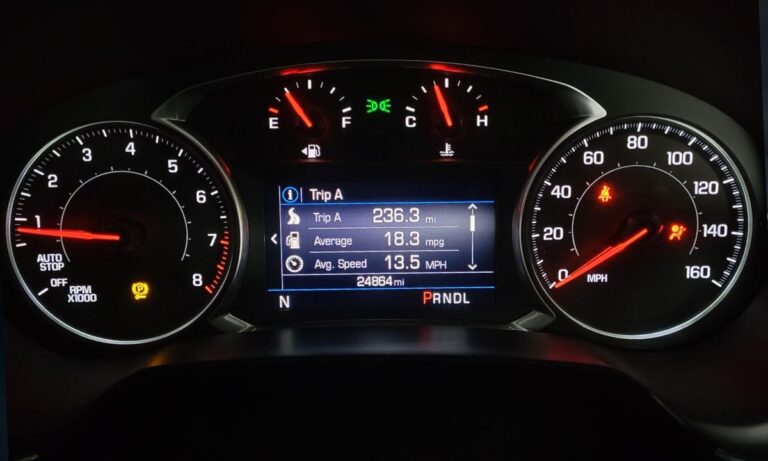
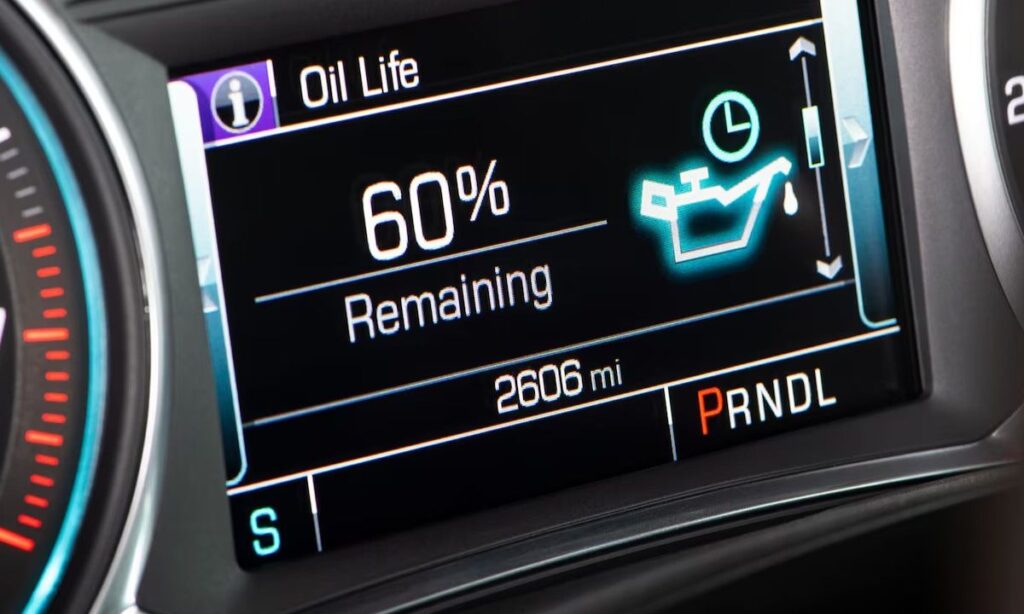
Reviving the Camaro nameplate with retro-modern styling and potent LS/LT engines, the fifth gen introduced the Driver Information Center (DIC) for oil life percentage displays. This advanced monitoring uses sensors to predict service needs beyond fixed miles, showing “oil life remaining” from 100% down. Resetting post-change sets it back to full, optimizing for V6 or V8 variants like the SS or ZL1.
Leverage the turn signal stalk controls for most models:
- DIC navigation method:
- Turn key to “ON” or “RUN” (no start).
- Press the MENU button on the left stalk until “oil life remaining” appears.
- Hold the SET/CLR button (thumbwheel or end button) until it beeps and resets to 100%.
- Confirm by scrolling back.
- Alternative pedal pump:
- Ignition to “RUN”.
- Fully depress accelerator three times within five seconds.
- Light flashes or message clears; restart to verify.
These steps suit the fifth-gen’s tech-savvy interior, where HUD and gauge clusters enhance the experience. Persistent lights might need a scan tool for codes, especially in tuned cars.
Sixth generation (2016-present): advanced dic and touchscreen options
The current Camaro era blends lightweight Alpha platform engineering with supercharged powerhouses, featuring a refined Oil Life System in the DIC. It calculates based on real-time data, displaying percentages for precise maintenance. From base LT to ZL1, resetting ensures the system accounts for spirited driving without unnecessary alerts.
Use the steering wheel or stalk controls:
- Standard DIC reset:
- Key to “ON” (engine off).
- Scroll using steering wheel arrows or stalk to “remaining oil life” in the info menu.
- Press and hold the SEL (select) button until it resets to 100% with a confirmation beep.
- Exit and restart to confirm.
- For models with infotainment touchscreens (2021+):
- Navigate to vehicle settings via the screen.
- Select “oil life” under maintenance.
- Tap reset and confirm.
This generation’s resets are intuitive, aligning with its digital cockpit. For hybrids or EVs in future variants, consult updates, but gas models stick to these. Mastering the process keeps your Camaro roaring reliably, blending heritage with high-tech care.