How to Reset the Oil Life Monitor on Chevrolet Tahoe: Instructions by generation
The Chevrolet Tahoe’s Oil Life Monitor (OLM) system tracks engine oil condition based on driving habits, temperature, and mileage, displaying a “Change Engine Oil Soon” message when service is due. After an oil change, always reset this monitor to 100% for accurate future reminders—failure to do so can lead to repeated alerts or inaccurate maintenance scheduling. The reset procedure varies by generation due to evolving Driver Information Center (DIC) designs and controls. Below are complete, verified steps for each Tahoe generation, applicable to most trims. Always perform resets with the engine off, ignition in the “ON” (RUN/ACC) position unless noted. If the message persists after reset, repeat the process or consult a dealer for potential sensor issues.
Generation 1 (1995–1999) and Generation 2 (2000–2006)
Early Tahoes used a simpler OLM without advanced DIC buttons, relying on the accelerator pedal method. This works across 1995–2006 models, including those with basic instrument clusters.
Accelerator Pedal Reset Method:
- Turn the ignition key to the “ON” position (do not start the engine).
- Fully depress and release the accelerator pedal three times within 5 seconds (some sources allow up to 10 seconds).
- The “Change Oil Soon” light on the DIC should flash, confirming the reset (oil life sets to 100%).
- Turn the ignition off, then start the engine to verify the message is cleared.
- If no flash occurs, repeat steps—timing is critical.
This method is reliable for high-mileage examples and avoids reliance on optional DIC features.
Generation 3 (2007–2014)
Third-generation Tahoes introduced more sophisticated DIC controls, offering two reliable methods: pedal (backward-compatible) or direct DIC reset via buttons.
Preferred DIC Button Method (Recommended):
- Turn the ignition to “ON” (engine off).
- Use the DIC navigation buttons (typically on the steering wheel or instrument panel) to scroll until “OIL LIFE REMAINING” or “Engine Oil Life” displays (often 5–25% remaining).
- Press and hold the “SET/RESET” button (checkmark symbol or dedicated reset stem) for at least 5 seconds.
- The display will change to “100%” and beep or flash to confirm reset.
- Turn ignition off and restart to clear any lingering message.
Alternative Accelerator Pedal Method:
- Follow the same pedal steps as in 1995–2006 generations.
- This serves as a backup if DIC buttons are unresponsive.
Users note the DIC method is quicker and avoids pedal coordination issues.
Generation 4 (2015–2020)
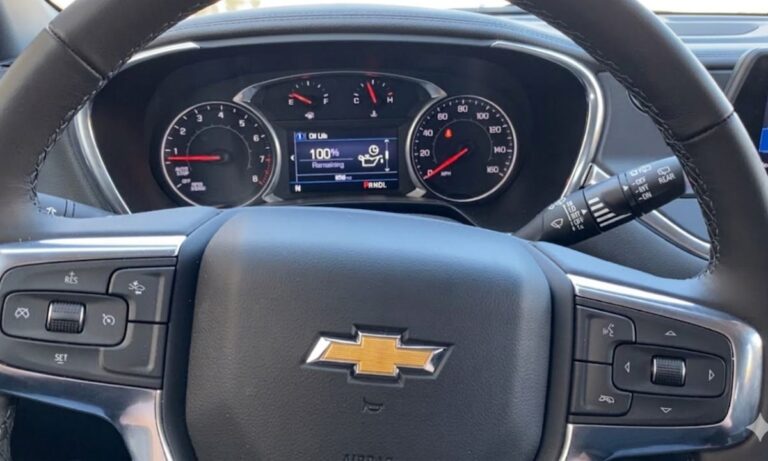
Fourth-gen models feature enhanced steering wheel controls and a more intuitive DIC, with reset via thumbwheel or arrow buttons. The pedal method remains an option for some configurations.
Steering Wheel DIC Method:
- Turn ignition to “ON” (no start).
- Use the thumbwheel or arrow buttons on the right side of the steering wheel to navigate menus.
- Scroll to “Info” or directly to “Remaining Oil Life” / “Oil Life.”
- Once displayed, hold the thumbwheel/button inward (or press “CHECK” / reset) until prompted “Reset Oil Life?” or similar.
- Select “Yes” (or hold for 5–10 seconds); the percentage resets to 100%.
- Exit menu, turn ignition off, and restart to confirm.
Accelerator Pedal Alternative:
- Display “Remaining Oil Life” via thumbwheel first.
- Depress accelerator fully three times within 5 seconds (no need to hold buttons).
This generation’s system is highly responsive, with resets completing in under 30 seconds.
Generation 5 (2021–Present)
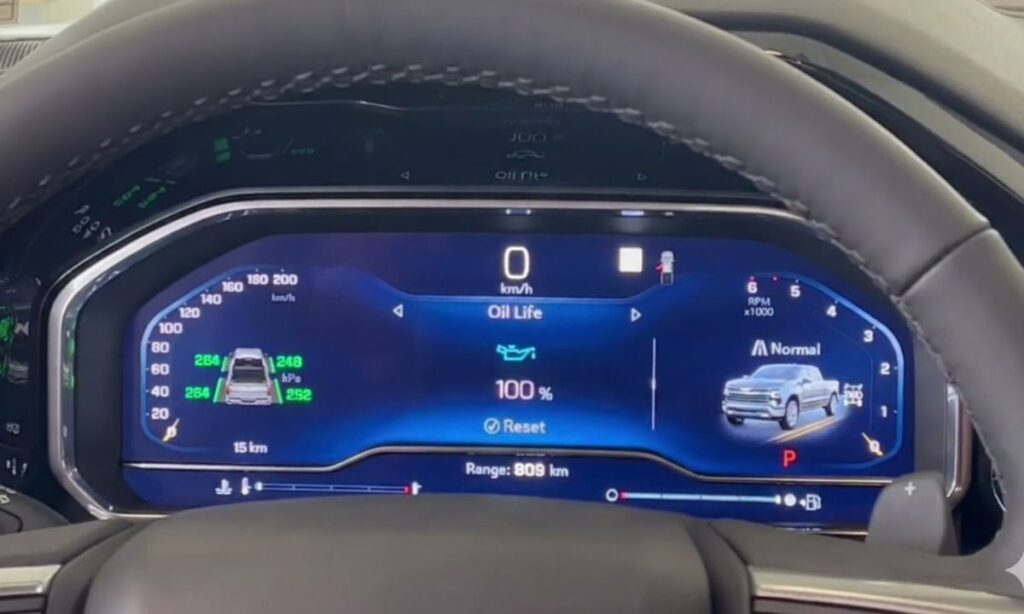
Current Tahoes have modernized steering wheel controls with clearer menus, often including touchscreen integration on higher trims (e.g., Premier). Reset focuses on steering buttons.
Steering Wheel Controls Method:
- Turn ignition to “ON” or press start button without cranking (accessory mode).
- Use left/right arrow buttons on steering wheel to enter “Info” or “Vehicle” menu.
- Scroll to “Oil Life” or “Remaining Oil Life” (displays current %).
- Press the center “OK” / checkmark button to select.
- Confirm “Reset” or “Yes” when prompted (hold briefly if no prompt).
- Oil life updates to 100%; exit menu.
- Cycle ignition off/on to verify “Change Engine Oil Soon” is gone.
For Touchscreen-Equipped Trims (Optional):
- From home screen, go to “Settings” > “Vehicle” > “Oil Life” > Reset to 100%.
The pedal method is less common here but can work as backup after displaying oil life.
Resetting the Tahoe’s oil life monitor is a quick DIY task that ensures the OLM accurately predicts your next service interval, typically every 7,500–10,000 miles under normal conditions. Perform it immediately after every oil change for optimal engine protection. If your Tahoe has unique options (e.g., diesel Duramax), refer to the owner’s manual for variances. Regular resets keep your full-size SUV running smoothly across its long service life.