How to Reset Oil Change Light on Chevrolet Equinox
The oil change light on your Chevrolet Equinox is part of the GM Oil Life System (GMOLS), a monitoring system that calculates engine oil degradation based on driving conditions, temperature, and engine load — not simply mileage. After every oil change, this system must be manually reset to begin a new monitoring cycle. Failing to reset it means the system continues counting down from the previous cycle, giving you inaccurate reminders. This guide covers every generation of the Chevrolet Equinox with exact reset procedures for each.
Understanding the GM Oil Life System on the Equinox
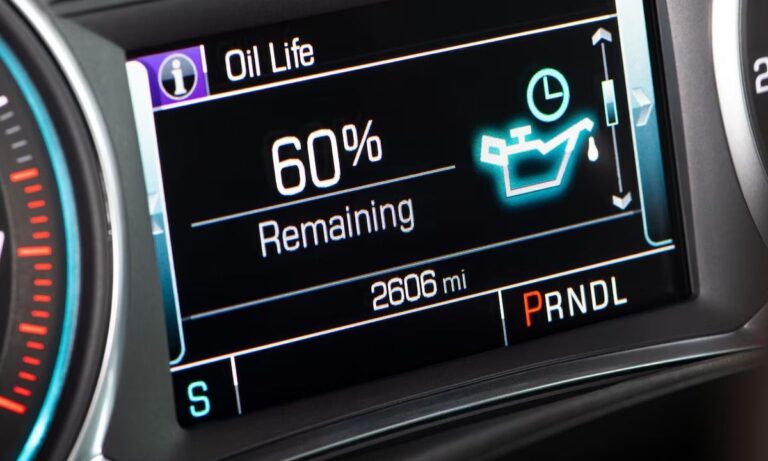
The GM Oil Life Monitor uses an algorithm to determine when your oil has degraded enough to require a change. When the oil life reaches 0%, the system displays ‘Change Engine Oil Soon’ or illuminates the oil change reminder light. The display may show a percentage (e.g., 40% oil life remaining) on equipped models. Resetting this system after a fresh oil change is essential for accurate future reminders.
First Generation Equinox (2005–2009)
The first-gen Equinox uses a simple button-based reset procedure with the Driver Information Center (DIC) controls on the instrument cluster.
- Turn the ignition key to the ON/RUN position without starting the engine (turn to position II).
- Press the Trip/Fuel button on the instrument panel repeatedly until the oil life display appears on the DIC screen.
- Once ‘Oil Life Remaining’ or the oil life percentage is displayed, press and hold the Trip/Fuel button for approximately 5 seconds.
- The system will flash the oil life percentage and then display 100%, confirming the reset was successful.
- Turn the ignition off and restart the vehicle to verify the light has cleared.
If the light does not reset, repeat the process ensuring the DIC is showing the oil life screen before holding the button.
Second Generation Equinox (2010–2017)
The second generation features a redesigned instrument cluster and DIC with additional controls on the steering wheel or a button below the cluster.
- Turn the ignition to ON/RUN (do not start the engine, or if push-button start, press without pressing the brake).
- Press the Menu or Info button on the steering wheel to navigate through the DIC options.
- Use the up/down arrows on the steering wheel to scroll until you see ‘Oil Life’ or ‘Oil Life Remaining’.
- Press and hold the checkmark (SET/CLR) button for approximately 5 seconds until the oil life resets to 100%.
- Some 2010–2012 models may use a RESET button on the instrument panel instead — press and hold this while the oil life screen is displayed.
- Turn the vehicle off and restart to confirm the reset.
For models with a mylink or base radio, the DIC is fully navigated from the steering wheel controls — no touchscreen interaction is required for this reset.
Third Generation Equinox (2018–Present)
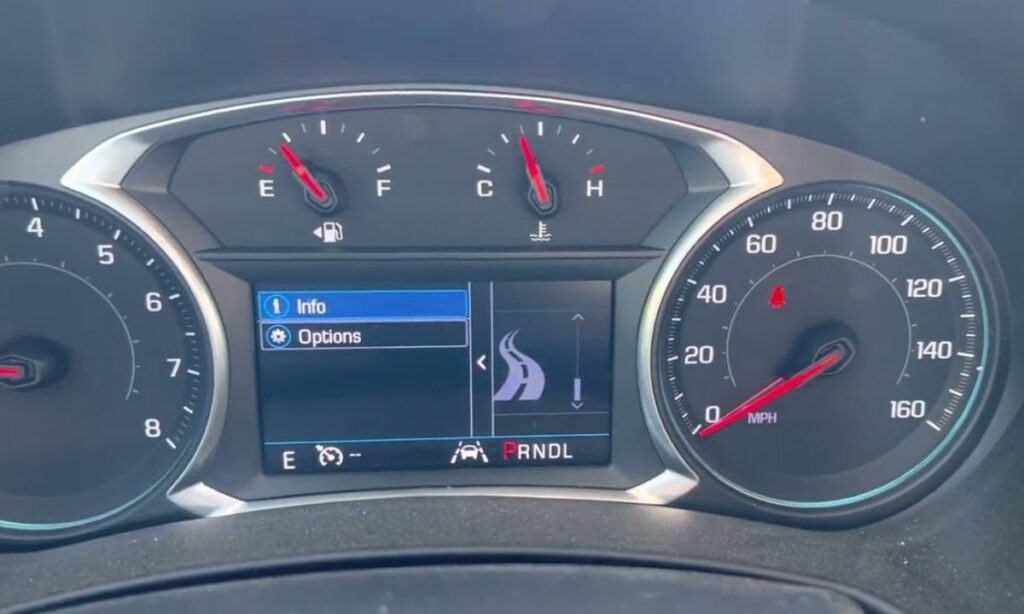
The third-generation Equinox introduced a revised instrument cluster and updated infotainment interface. The reset method depends on whether your model has a traditional DIC or a digital cluster.
- Turn the ignition to ON/RUN without starting the engine (press start button once without foot on brake for push-button start models).
- Press the left arrow or Menu button on the left side of the steering wheel to access the DIC menu.
- Use the up/down scroll buttons to navigate to ‘Oil Life’.
- Press and hold the checkmark / SET/CLR button for 5 seconds.
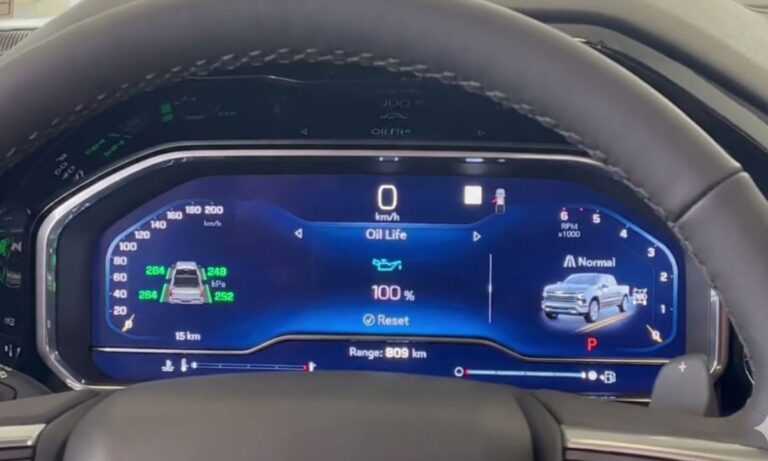
- The display will confirm the reset by showing Oil Life: 100%.
- Turn the ignition off and start the engine normally to verify the warning light is cleared.
On 2018–2021 models equipped with the digital driver information display, the same steering wheel controls apply. The confirmation message ‘Oil Life Reset’ may appear briefly on screen before displaying 100%.
Alternative Reset Method: Accelerator Pedal (All Generations)
If the standard DIC method does not work or your DIC is malfunctioning, the following accelerator pedal method works across all Equinox generations:
- Turn the ignition to ON/RUN without starting the engine.
- Fully depress the accelerator pedal slowly three times within 5 seconds.
- Turn the ignition off.
- Start the engine and check if the oil change light has been cleared.
- If the light remains, repeat the process ensuring all three pedal presses are completed within 5 seconds.
Common Issues and Troubleshooting
- Light returns immediately after reset: This may indicate a fault in the GMOLS sensor or module. Scan for DTCs with an OBD-II reader.
- DIC does not show oil life option: Ensure you are navigating the correct DIC menu — some models require multiple button presses to reach the oil life submenu.
- Reset does not stick: Verify the ignition is in ON/RUN and not ACC (accessory) position before attempting the reset.
- Oil pressure warning light vs. oil change light: The oil pressure warning (an oil can icon) is a separate, critical warning — do not confuse it with the service oil reminder. Do not reset an oil pressure warning without diagnosing the cause.
- Battery disconnect cleared the DIC but not the light: The GMOLS memory is stored in the BCM, not just the instrument cluster, so a battery disconnect alone may not reset the oil life.
How Often to Reset and Recommended Oil Change Intervals
- Reset the oil life monitor every time you perform an oil change, regardless of how much oil life was remaining.
- GM recommends changing oil when the system reaches 0%, but many technicians advise not letting it go below 10–15% in severe driving conditions.
- Equinox 2.4L and 1.5L turbocharged engines typically recommend Dexos 1 full synthetic oil — using the correct specification helps the GMOLS calculate accurately.
- Under severe driving conditions (towing, extreme cold, short trips), the system will shorten the oil change interval automatically.