How to Reset Oil Change Light on Honda CR-V All Generations
Resetting the oil change light on a Honda CR-V is a straightforward procedure, but the exact steps vary depending on the generation and model year of your vehicle. Honda has used different maintenance reminder systems across the CR-V lineup, from the older Maintenance Required light found in early generations to the more advanced Maintenance Minder system introduced in later models. Understanding which system your CR-V uses is essential before attempting a reset. Failing to reset the light after an oil change does not affect engine performance directly, but it means you will lose track of your next scheduled service interval, which can lead to missed maintenance and potential engine damage over time.
Honda CR-V Generations Overview
Before jumping into reset procedures, it helps to know which generation your CR-V belongs to:
- First Generation (Gen 1): 1997–2001 – Basic Maintenance Required indicator
- Second Generation (Gen 2): 2002–2006 – Maintenance Required light, simple reset
- Third Generation (Gen 3): 2007–2011 – Honda Maintenance Minder system introduced
- Fourth Generation (Gen 4): 2012–2016 – Honda Maintenance Minder system, similar to Gen 3
- Fifth Generation (Gen 5): 2017–2022 – Honda Maintenance Minder with multi-info display
- Sixth Generation (Gen 6): 2023–present – Updated infotainment-integrated Maintenance Minder
Reset Oil Change Light: Gen 1 and Gen 2 CR-V (1997–2006)
These early generations use a simple Maintenance Required light that illuminates at set mileage intervals, typically every 5,000 miles. There is no oil life percentage calculation involved.
- Turn the ignition key to the OFF position
- Locate the trip meter reset button on the instrument cluster (usually a small black button near the odometer display)
- Press and hold the trip meter reset button
- While holding the button, turn the ignition to the ON position (do not start the engine)
- Continue holding the button for approximately 10 seconds until the Maintenance Required light flashes and then turns off
- Release the button and turn the ignition off
- Start the engine to confirm the light has been reset successfully
Reset Oil Change Light: Gen 3 and Gen 4 CR-V (2007–2016)
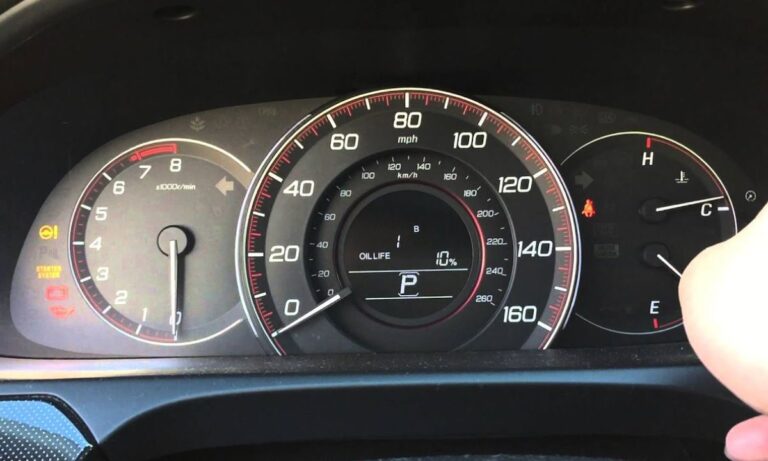
Honda introduced the Maintenance Minder system starting with the 2007 CR-V. This system calculates oil life based on driving conditions, engine temperature, and mileage. The display shows a percentage (e.g., 15%) indicating remaining oil life, and the system triggers a reminder when it drops to 15% or below. The main oil change code is Code A (engine oil change) and Code B (oil and filter change plus inspection).
- Turn the ignition to the ON position without starting the engine (or press the Start button without pressing the brake on push-button start models)
- Use the INFO button on the steering wheel (or the Select/Reset knob on the dash) to navigate to the Engine Oil Life display on the multi-information display
- Once the oil life percentage is displayed, press and hold the Select/Reset button (or the steering wheel INFO button) for approximately 10 seconds
- The oil life display will begin to blink
- Press and hold the button again for an additional 5 seconds
- The oil life percentage will reset to 100%
- Turn the ignition off and restart the engine to verify the reset
Reset Oil Change Light: Gen 5 CR-V (2017–2022)
The fifth-generation CR-V features an updated multi-information display and a slightly revised reset procedure. Some trims use steering wheel controls while others incorporate a dashboard knob.
- Press the Start/Stop button once without pressing the brake pedal to enter accessory mode
- Press the Home button on the steering wheel and navigate to Settings in the multi-information display, or use the left-side steering wheel controls to scroll to Customize Settings
- Scroll down and select Maintenance Info or Engine Oil Life
- Press and hold the Enter or OK button for approximately 10 seconds until the display begins to blink
- Press and hold the button again for 5 more seconds to confirm the reset
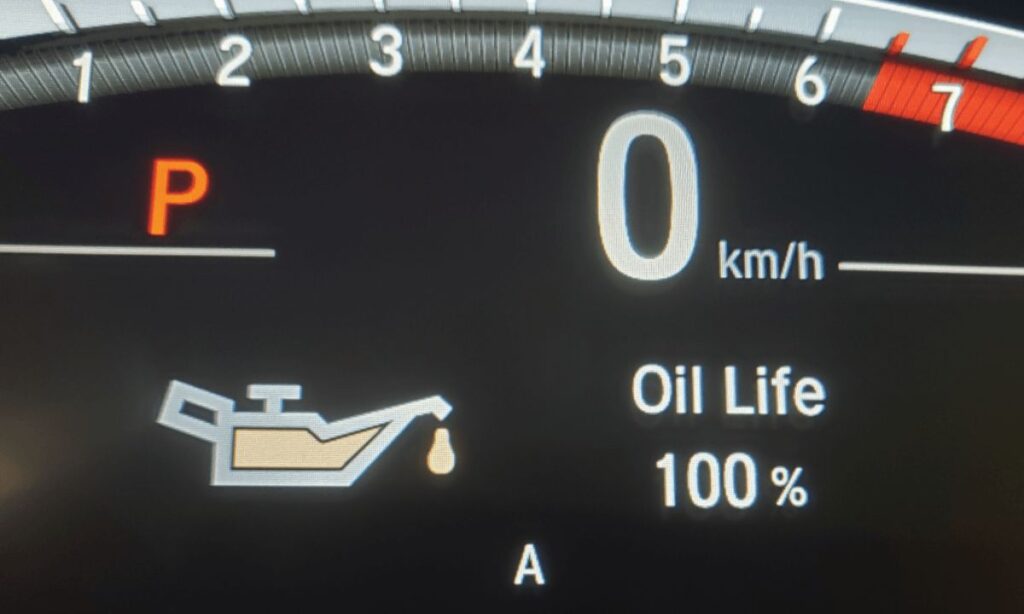
- The display will show Engine Oil Life: 100%
- Press the Start/Stop button to turn off the vehicle and confirm the reset on the next startup
Reset Oil Change Light: Gen 6 CR-V (2023–Present)
The 2023 and newer CR-V uses a touchscreen-integrated system. The procedure uses the center touchscreen display or steering wheel controls depending on trim level.
- Press the Start/Stop button without the brake pedal to enter accessory mode
- On the touchscreen, tap the Settings icon (gear icon) on the home screen
- Navigate to Vehicle then Maintenance Info
- Select Engine Oil Life and tap Reset
- Confirm the reset when prompted by tapping Yes or OK
- Alternatively, using steering wheel controls: scroll to Maintenance Info via the left control pad, press and hold OK/Enter for 10 seconds, then confirm
- The system will return oil life to 100%
Honda Maintenance Minder Sub-Codes Explained
Understanding the sub-codes that accompany the main oil change codes helps you perform the correct service:
- Code A – Engine oil change only
- Code B – Engine oil and filter change, brake inspection, parking brake adjustment, tire rotation
- Sub-code 1 – Tire rotation
- Sub-code 2 – Air cleaner element replacement, drive belt inspection, pollen filter replacement
- Sub-code 3 – Transmission fluid replacement (automatic or manual)
- Sub-code 4 – Spark plug replacement, valve clearance inspection, timing belt replacement (if applicable)
- Sub-code 5 – Engine coolant replacement
- Sub-code 6 – Rear differential fluid replacement (AWD models)
Common Issues and Tips
- If the light does not reset, ensure the ignition is fully in the ON position and not just accessory mode on older models
- On push-button start models, pressing the Start button once without the brake activates accessory mode; pressing twice activates ignition ON mode — use the correct mode per your generation
- If the Maintenance Minder light returns quickly after reset, it may indicate the oil life was not properly reset or the previous service interval was very overdue
- Always reset the oil life immediately after completing the oil change, not before
- Honda recommends using 0W-20 full synthetic oil for most Gen 4 through Gen 6 CR-V models; using the correct oil viscosity ensures accurate oil life calculations
- A battery disconnect will not reset the Maintenance Minder on most CR-V generations — the manual reset procedure must be followed