Peugeot Service Light Reset: Step-by-Step Guide for All Generations
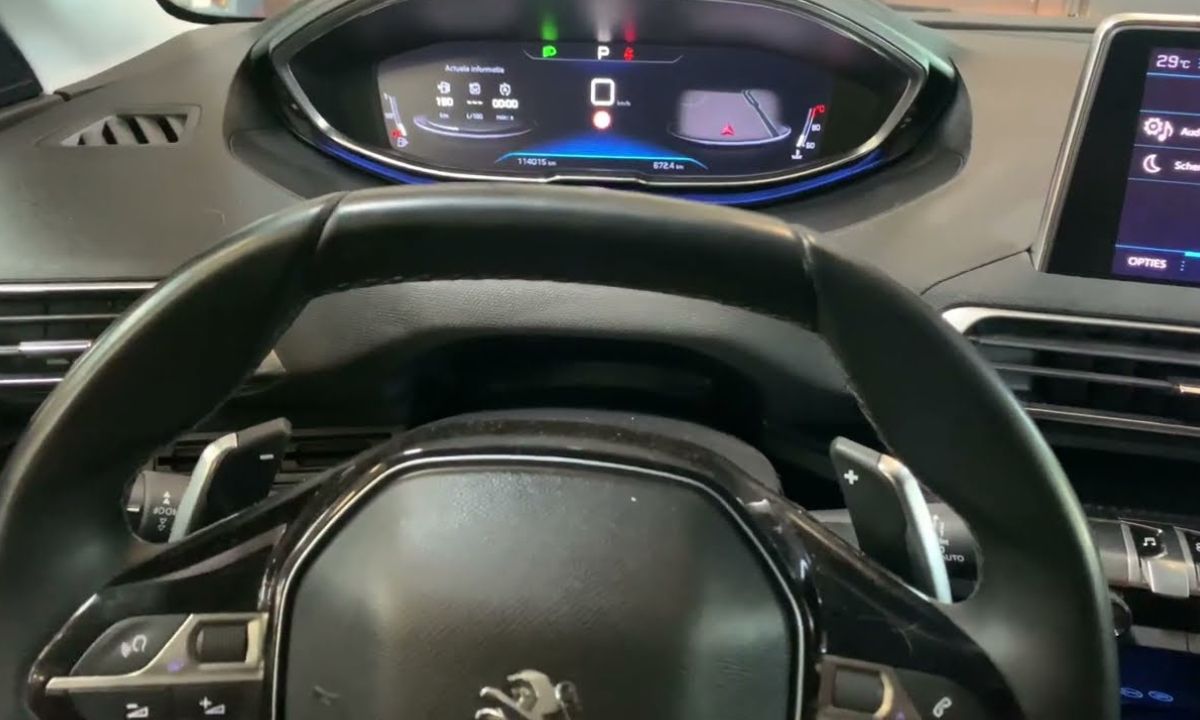
After an oil change on a Peugeot, the service reminder stays on until cleared manually. The reset method depends on the generation — older models use a dashboard button and countdown sequence, newer ones use a BC button on the indicator stalk, and the latest models with the digital i-Cockpit use the stalk button combined with a settings menu. Since none of these methods require a scanner for routine oil service resets, the procedure takes under two minutes once you identify the correct approach for your vehicle.
Via Dashboard Button and Countdown
This method applies to older Peugeot models — the 308 T7 (2007–2013), 3008 MK1 (2009–2016), 207, 2008 MK1, and 5008 MK1. It is also the correct procedure for most Citroën models of the same era since they share the same instrument cluster:
- Turn the ignition completely off.
- Press and hold the trip reset button on the dashboard — the small button next to the odometer display on the right side of the instrument cluster.
- While holding the button, turn the ignition to the ON position without starting the engine.
- Keep the button pressed. A countdown from 10 to 0 will appear on the display — hold through the entire countdown.
- When the display shows “= 0” and the service symbol disappears, release the button.
- Turn the ignition off, then restart to verify.
The service interval resets automatically to the next scheduled distance — typically 30,000 km or 12 months — once the countdown completes. If the light returns immediately after restarting, the button was released before the countdown finished. Repeat and hold through to zero without releasing early.
Via BC Button on Left Indicator Stalk
The 308 MK2 T9 (2013–2021), 3008 MK2 (2016–2023), 2008 MK2, 208 MK2, and 5008 MK2 use a BC button at the tip of the left indicator stalk rather than a dashboard button:
- Turn the ignition off, then turn on the instrument panel without starting the engine. On push-button start vehicles, press Start without pressing the brake pedal.
- Press and hold the BC button at the end of the left stalk.
- Continue holding until a countdown appears on the instrument cluster display — typically 10 seconds.
- Hold through the entire countdown until the display shows “= 0” and the service symbol disappears.
- Release the button, turn the ignition off, and restart to verify.
On the 3008 MK2 specifically, the button is located on the right side of the dashboard near the instrument cluster rather than on the stalk — press and hold it while turning the ignition on, then keep it held through the countdown.
Via Stalk BC Button and Settings Menu
The 308 MK3 (2021+), 3008 MK3 (2023+), and newest Peugeot models with the fully digital i-Cockpit use the BC button combined with a menu navigation approach:
- Turn on the instrument panel without starting the engine.
- Use the BC button on the left stalk to scroll through the settings menu in the instrument cluster.
- Find and select the Oil Change option.
- Press and hold the BC button until the reset completes — the remaining service distance will update to the next interval.
- Return to the main menu, turn the ignition off, and restart to verify.
On the 2022 308, confirmed forum procedure states the BC button is on the left lever of the steering wheel — scroll through settings, select Oil Change, and hold until reset is confirmed.
Via OBD2 Scanner
Some Peugeot variants — particularly dealer-serviced vehicles — have an additional service interval set by the workshop that cannot be cleared through the manual button methods. A compatible OBD2 scanner with PSA/Stellantis manufacturer support is required for these cases:
- Connect the scanner to the OBD2 port under the dashboard on the driver’s side.
- Turn the ignition to ON.
- In the scanner menu, navigate to Service Reset or Maintenance Interval ECU.
- Select the Peugeot vehicle profile, choose Oil Change Reset, and confirm.
- Disconnect the scanner and restart to verify.
Scanners confirmed to work on PSA/Stellantis vehicles include the Klavkarr 210, Launch X431, and Autel MX808 with Stellantis coverage.
Why the Light Sometimes Returns
If the service light reappears shortly after a confirmed reset, two things commonly cause this. First, the countdown was not completed — the button was released a moment too early, and the display never showed “= 0”. Second, a fault code stored in the ECU is triggering the warning independently of the oil life counter. In the second case, resetting the service reminder will not resolve the issue — an OBD2 scan is the correct next step.