How to Reset the Service Light on Geely Without a Dealer
The service reminder on Geely vehicles activates every 10,000 km and stays on until manually cleared. The reset method depends on whether your model uses a steering wheel menu or an older instrument cluster with a physical button. Neither method requires a diagnostic tool — both can be done in under two minutes once you know the correct sequence for your variant.
With Steering Wheel Menu
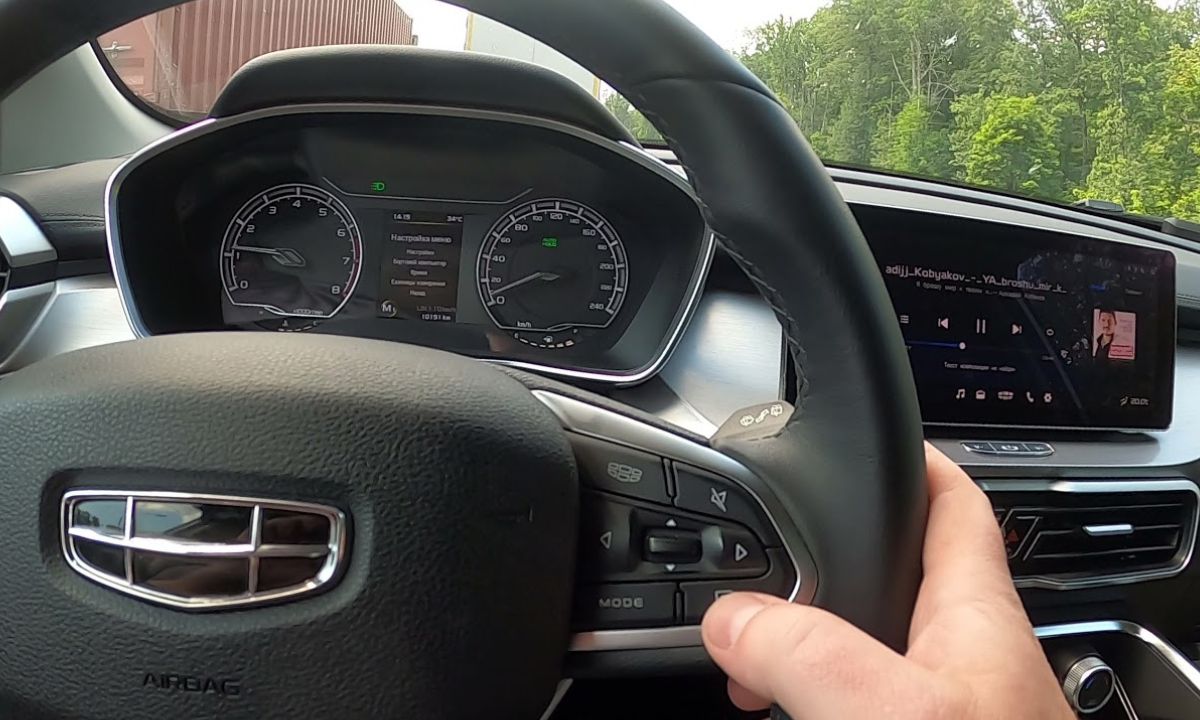
The Coolray, Okavango, EX5, and most current Geely models from 2019 onward use steering wheel buttons to navigate the instrument cluster menu:
- Turn the ignition to ON or start the engine — the instrument cluster must be active.
- Use the right-side steering wheel buttons to navigate to Settings.
- Select Vehicle, then scroll to Distance to Next Service or Maintenance Reminder.
- Press and hold the OK button until the counter resets and the service light clears.
- Turn the ignition off and restart to confirm the reminder is gone.
If the menu structure on your model shows differently, look for a wrench icon or a service-related submenu — the naming varies slightly between the Coolray built for Southeast Asian markets and those sold in the Middle East and Eastern Europe, though the navigation path is the same.
With Left Stalk OK Button (Older Coolray, Emgrand, MK Cross)
Some Coolray variants and older Geely models use the OK button located at the tip of the left indicator stalk rather than steering wheel controls:
- Turn the instrument panel on without starting the engine.
- Turn the panel off again.
- Press and hold the OK button on the end of the left stalk.
- While holding, turn the instrument panel back on.
- Hold the button until the service light flashes and then goes off completely.
- Release the button. The maintenance counter has been reset.
This method requires the panel to cycle off and back on while the button is held — releasing before the light flashes means the reset has not completed and the procedure must be repeated from the beginning.
With Trip Reset Button (Emgrand, GC6, older models)
Older Geely sedans without steering wheel menus — including the Emgrand EC7 and pre-2019 variants — use the trip odometer reset button on the instrument cluster:
- Turn the ignition off completely.
- Press and hold the trip reset button on the instrument cluster.
- While holding, turn the ignition to ON without starting the engine.
- Hold through the full cluster self-check sequence — approximately 10–15 seconds.
- The service counter will count down and the reminder light will clear.
- Release the button and restart to verify.
On the Emgrand GL specifically, the display shows the remaining service distance counting down to zero during the reset — releasing the button before it reaches zero means the reset has not completed.
With Touchscreen Menu (Geely EX5, Galaxy L7, newer models)
The EX5 and GX3 Pro, along with newer Okavango variants, manage the service reminder through the vehicle settings application:
- Start the vehicle.
- On the touchscreen, go to Settings → Vehicle → Maintenance Reminder.
- Tap Reset and confirm.
- The counter returns to the full 10,000 km interval.
- Restart to verify the dashboard reminder has cleared.
What the Service Reminder Tracks
Geely’s maintenance reminder operates on a fixed distance counter — it does not measure oil condition algorithmically. The default interval is 10,000 km, which aligns with the recommended oil change schedule for most Geely petrol engines. The reminder triggers at exactly this interval from the last reset regardless of driving style or oil type used.
Resetting without changing the oil only delays the next reminder while the existing oil continues to degrade. If the oil change has been deferred past the 10,000 km point, change the oil before resetting the counter rather than resetting first.