How to Reset the Service Light on Dodge Without a Dealer
The oil change indicator on Dodge vehicles doesn’t clear itself after a service — it needs a manual reset. The method depends on the model and year. Most Dodge cars and trucks use either a gas pedal sequence or steering wheel controls, while some newer models offer a touchscreen option. The reset takes under a minute once you know which method applies.
With Gas Pedal Sequence
This is the most common method across the Dodge lineup — it works on the Charger, Challenger, Journey, and older Durango generations from 2006 onward that don’t have a multi-function steering wheel:
- Turn the ignition to the ON/RUN position — do not start the engine. On push-button start models, press the Start button twice without pressing the brake pedal.
- Fully depress the accelerator pedal to the floor and release it. Repeat three times within 10 seconds.
- Turn the ignition off.
- Start the engine and confirm the “Oil Change Required” message is gone.
If the message reappears after starting, the sequence was too slow or the pedal was not pressed fully to the floor. On the Charger, the “Oil Change Required” message flashing briefly on the EVIC display at startup is the clearest sign the procedure needs to be repeated.
With Steering Wheel Controls
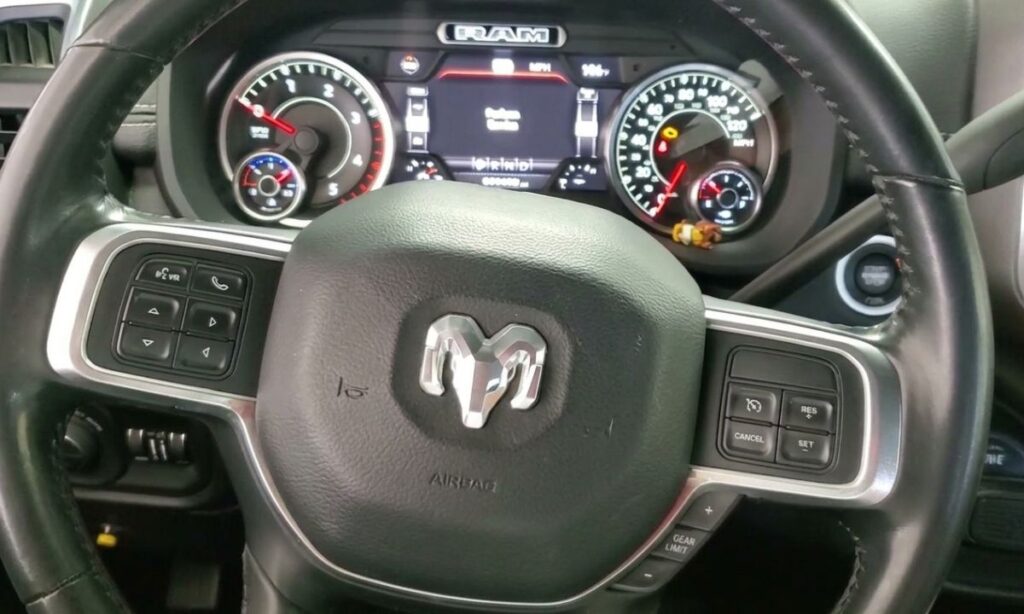
The Durango, Ram, and newer Charger use steering wheel menu buttons to navigate the instrument cluster display:
- Turn the ignition to ON/RUN without starting the engine.
- Use the steering wheel arrow buttons to navigate to Vehicle Info in the instrument cluster display.
- Scroll down to Oil Life.
- Press and hold the OK button until the oil life percentage resets to 100%.
- Turn the ignition off, then restart to confirm the light has cleared.
On the Ram 1500 and 2500, the right arrow button on the steering wheel can also be held directly on the Oil Life screen to trigger the reset — the OK button is not always required depending on the model year.
With Touchscreen Menu
The Durango from 2021 onward, Ram 1500 TRX, and newer Charger Scat Pack manage the oil life reminder through the Uconnect infotainment system:
- Start the vehicle or turn the ignition to ON.
- On the touchscreen, go to Settings → Vehicle → Oil Life.
- Tap Reset and confirm when prompted.
- The display returns to 100% oil life.
- Restart to verify.
Why the Reset Sometimes Fails
The gas pedal method is the most common source of failed resets. Two things cause it to not register:
- Pressing the pedal too slowly — three full strokes to the floor must be completed within 10 seconds
- Stopping at the ACC position instead of ON/RUN — on push-button start models, pressing Start once reaches ACC, pressing it twice reaches ON/RUN. The reset will not work from the ACC position regardless of how the pedal is pressed
What the System Tracks
Dodge uses a duty-cycle based oil life system rather than a simple mileage counter. The Powertrain Control Module factors in engine starts, trip length, temperature cycles, and load. Short urban trips deplete the indicator faster than highway driving because the engine runs richer and combustion byproducts accumulate in the oil more quickly. The indicator is calibrated to call for service before oil quality becomes harmful — resetting it without changing the oil simply delays the warning while the oil continues to degrade.